# AI Image Generation Use Cases
Explore how ChatbotX’s Image Generation feature adapts to different creative scenarios from branding and marketing to product photography and portrait editing. Each use case below includes a ready-to-use prompt, recommended model, and quick editing tips.
#### **How to Use This Guide**
1. Pick the use case that matches your goal.
2. Copy or tweak the provided prompt.
3. Choose the suggested model and aspect ratio.
4. Refine results using the editing tips.
### Use Cases
#### **Poster Design (Marketing / Events)**
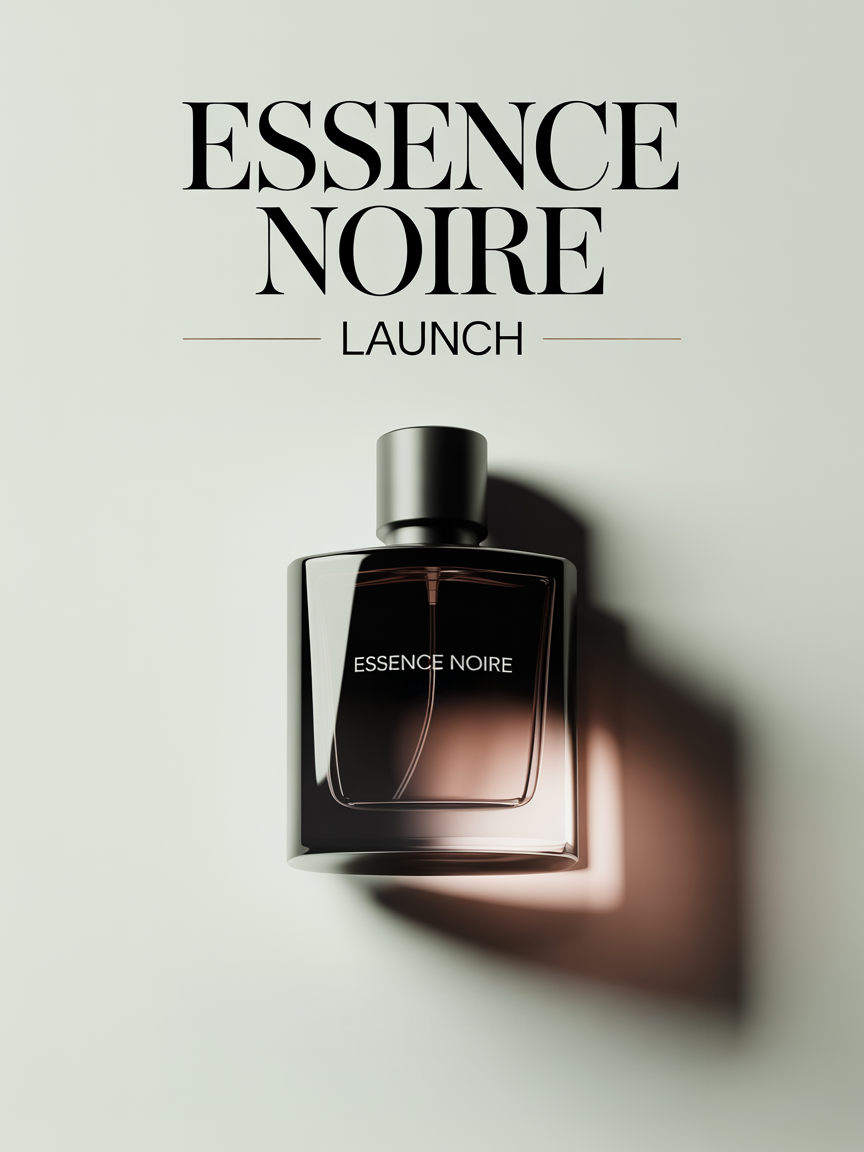
**Scenario:** A marketing designer creates a high-fashion poster for a luxury perfume launch.
**Prompt:**
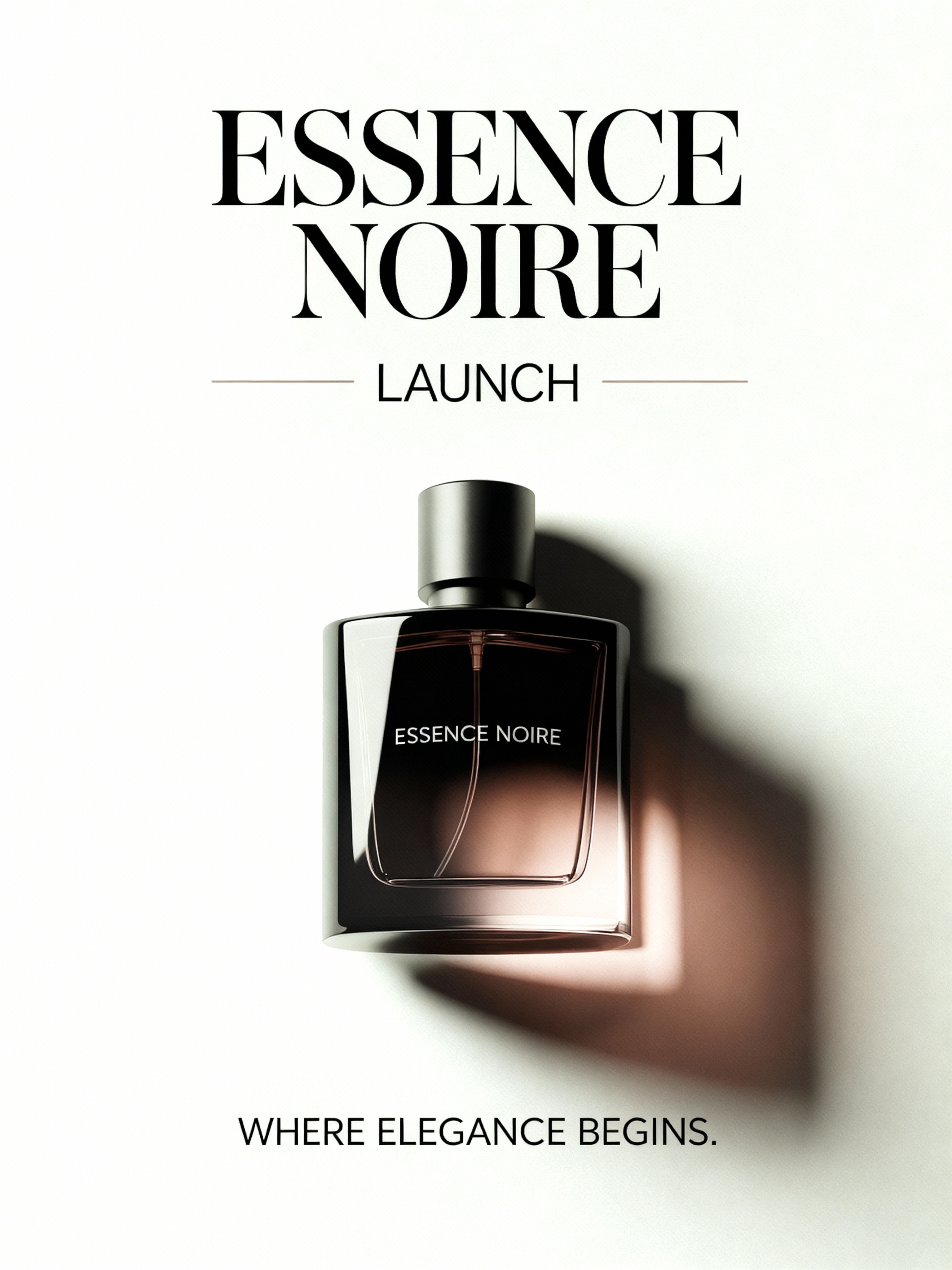
“Design a minimalist editorial poster for a luxury perfume event titled *Essence Noire Launch*. Use clean sans-serif typography, muted beige background, and a perfume bottle as the focal point with soft highlights.”
**Model:** Ideogram 3.0 | **Aspect Ratio:** 3:4
**Editing & Refining:** Add bottom text in all caps — *WHERE ELEGANCE BEGINS.* **Alternate Model:** Seedream 4.0
#### **Social Media Creative (Ads / Stories)**
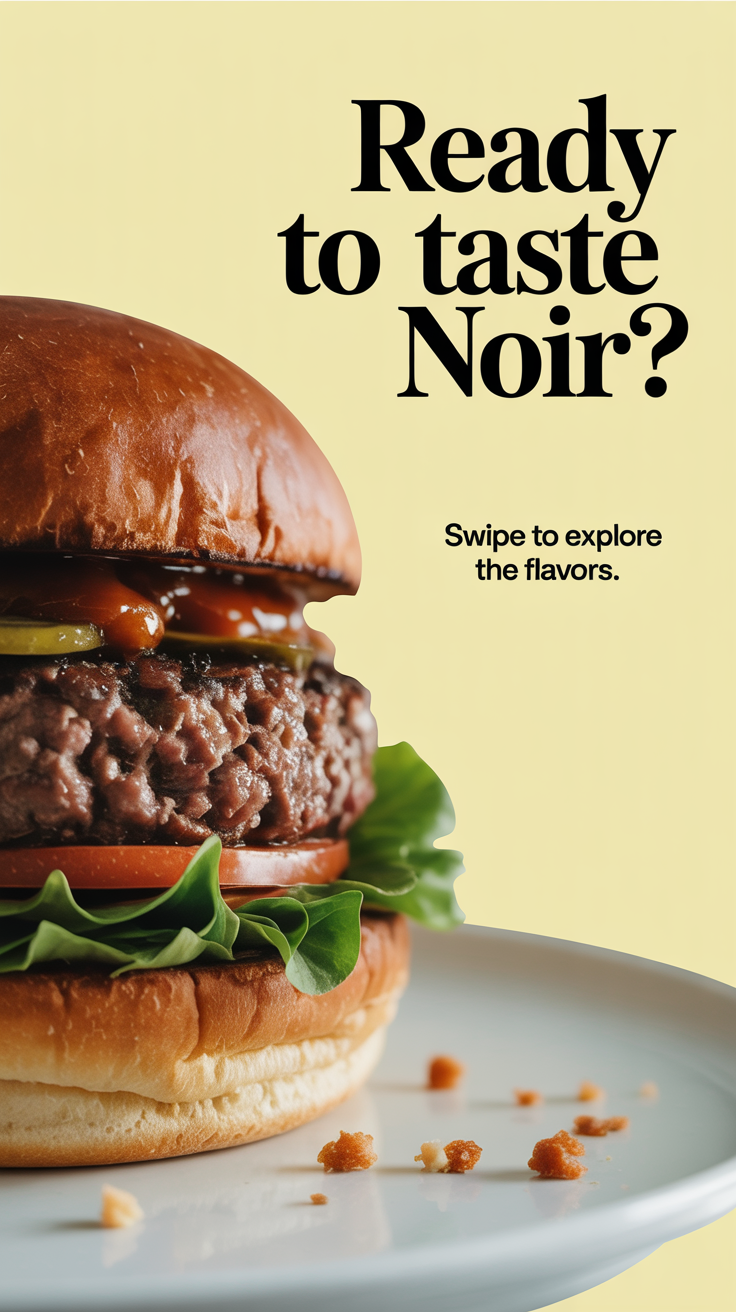
**Scenario:** A restaurant brand designs a cinematic social media ad to showcase its premium gourmet burger line.
**Prompt:**
“Create a dynamic gourmet burger ad with ingredients floating mid-air, editorial lighting, pastel yellow background, and bold serif text ‘Ready to Taste NOIR?’ — cinematic and visually rich.”
**Model:** Ideogram 3.0 | **Aspect Ratio:** 9:16
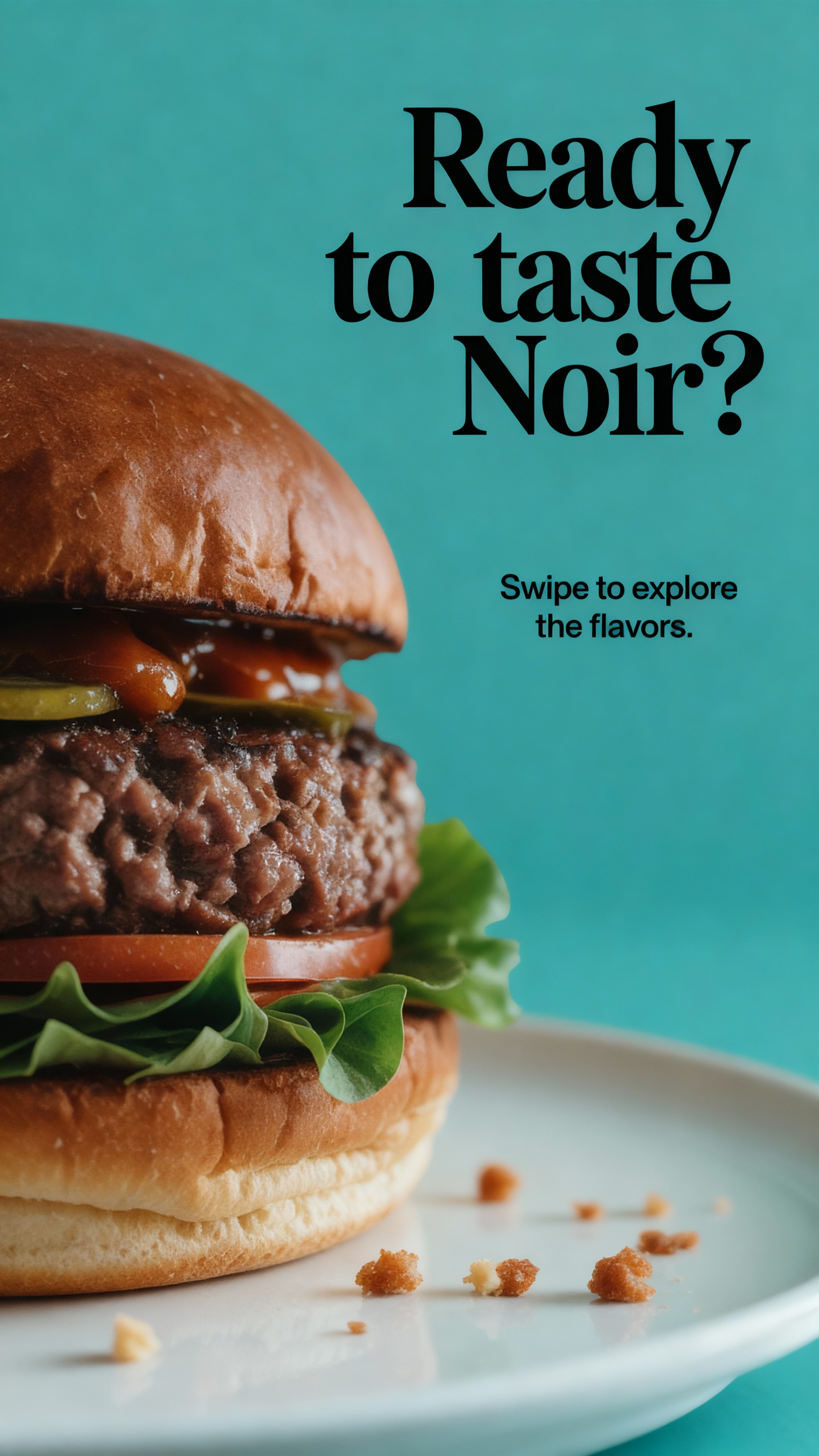
**Editing & Refining:** Change background to a muted teal.
**Alternate Model:** Seedream 4.0
#### **Logo (Branding)**
**Scenario:** A non-profit seeks a modern, inclusive logo that symbolizes unity and human connection for digital and print use.
**Prompt:**
“Create a logo for ‘Unity’ using interlocking circles to represent diversity. Use lowercase sans-serif text, balanced complementary colors, and minimal, timeless geometry.”
**Model:** Ideogram 3.0 | **Aspect Ratio:** 1:1
**Editing & Refining:** Place the logo as a mockup on a tote bag.
**Alternate Model:** Seedream 4.0
#### **Product Photography (E-Commerce / Branding)**
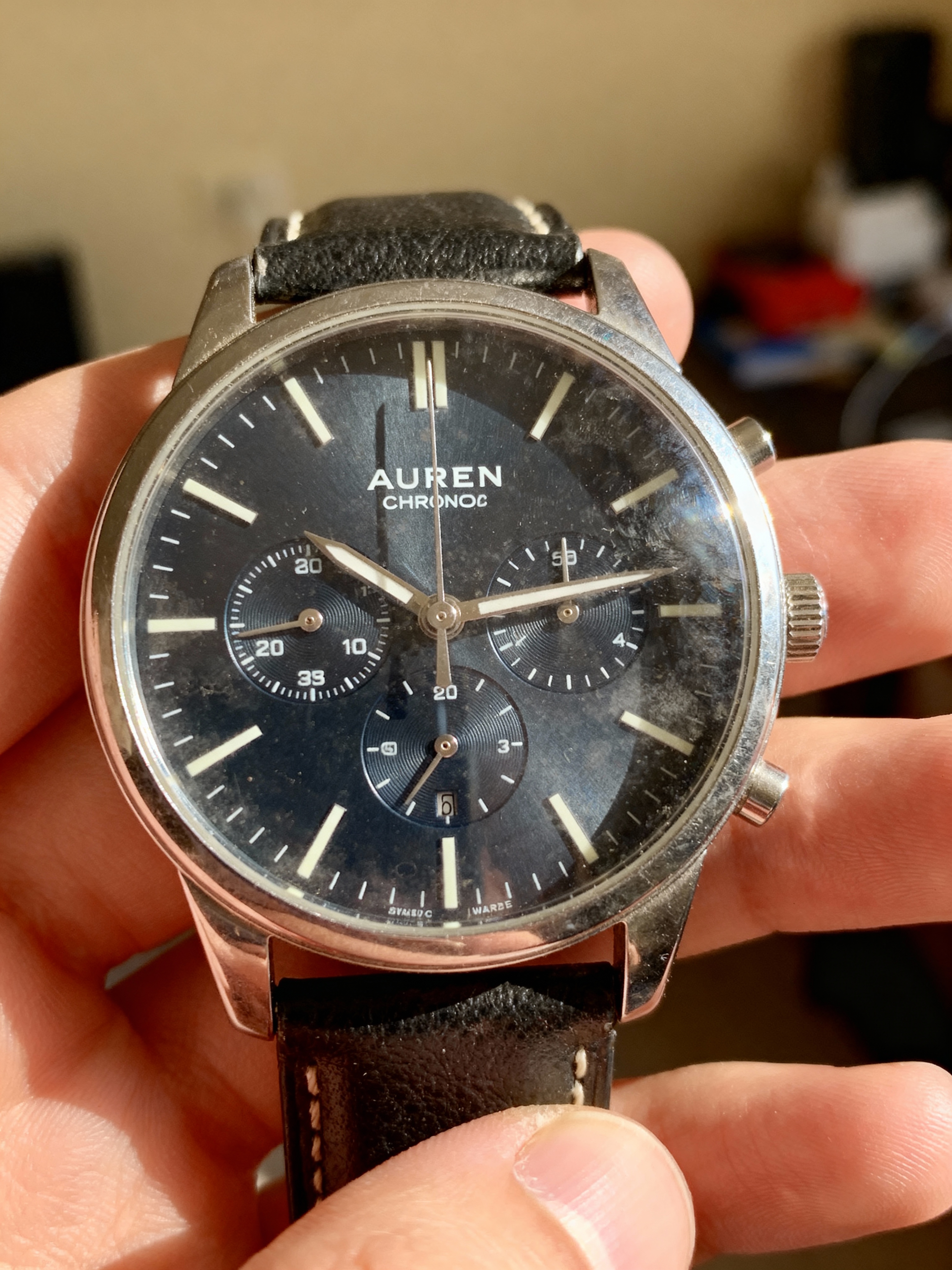
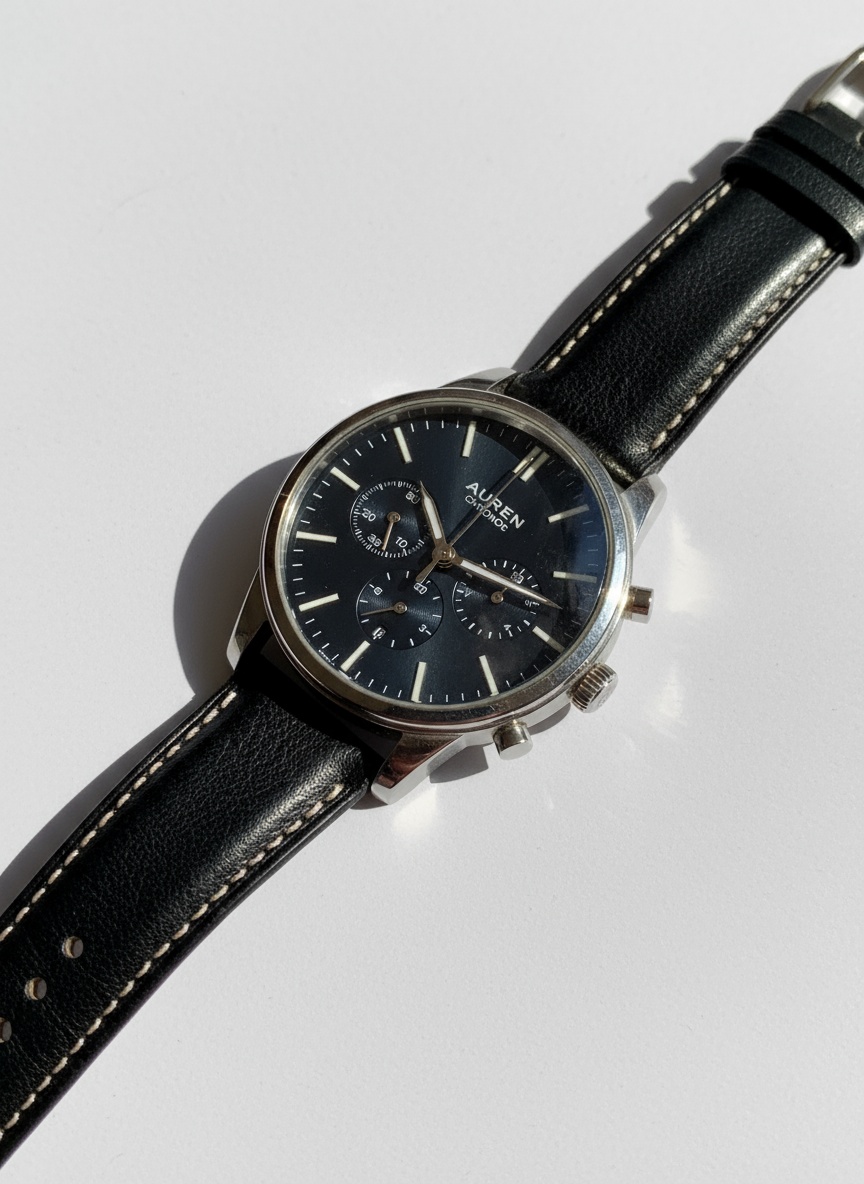
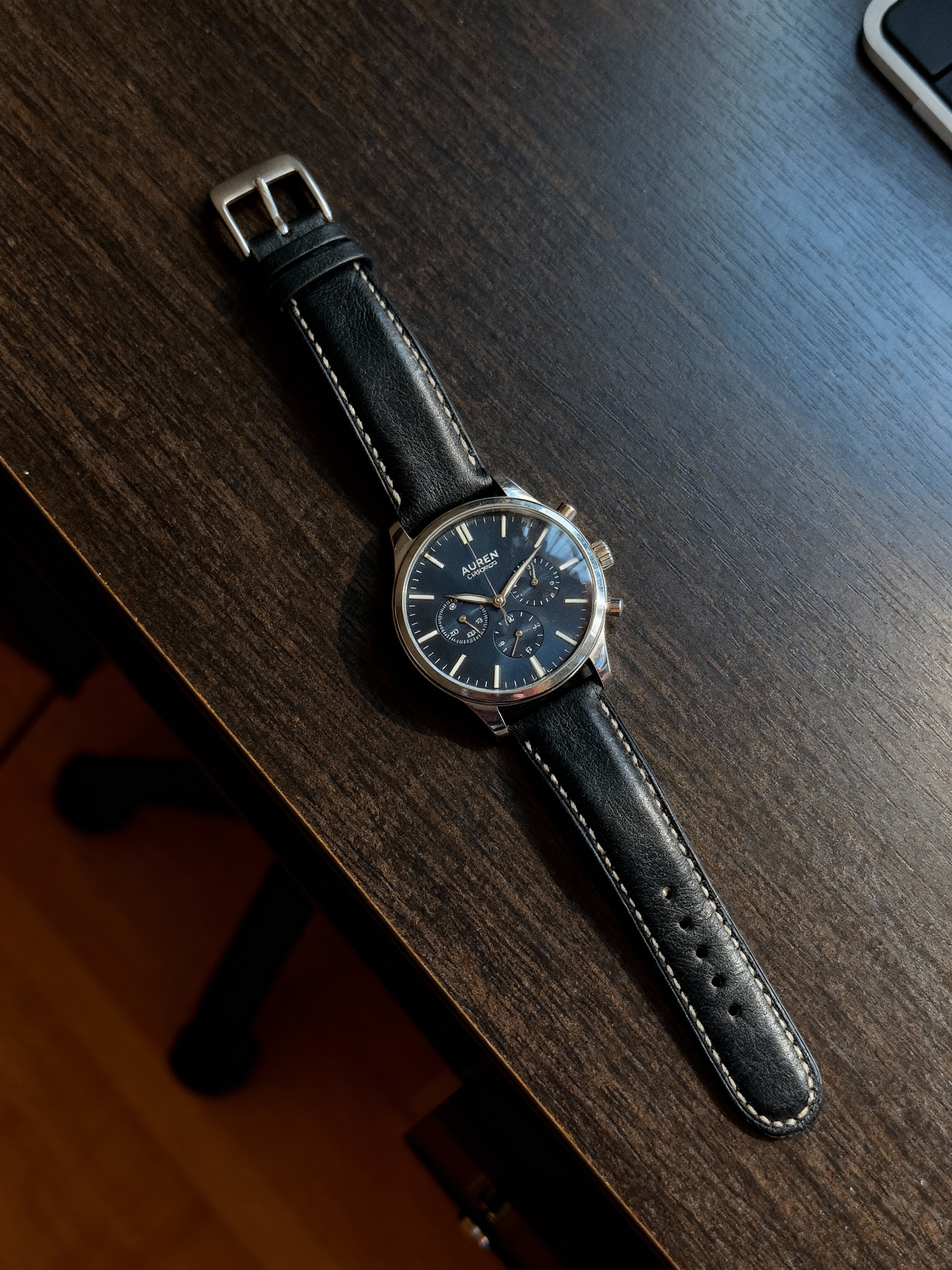
**Scenario:** A seller upgrades a casual photo of their AUREN Chrono wristwatch into a professional, editorial-quality image for online listings.
Reference Image with the prompt:
**Prompt:**
“Create a clean, editorial-style image of the AUREN Chrono watch with sharp focus, metallic detail, neutral background, and luxury lighting for e-commerce use.”
**Model:** NanoBanana | **Aspect Ratio:** 3:4
**Editing & Refining:** Generate a new angle and setting for the watch.
**Alternate Model:** Seedream 4.0
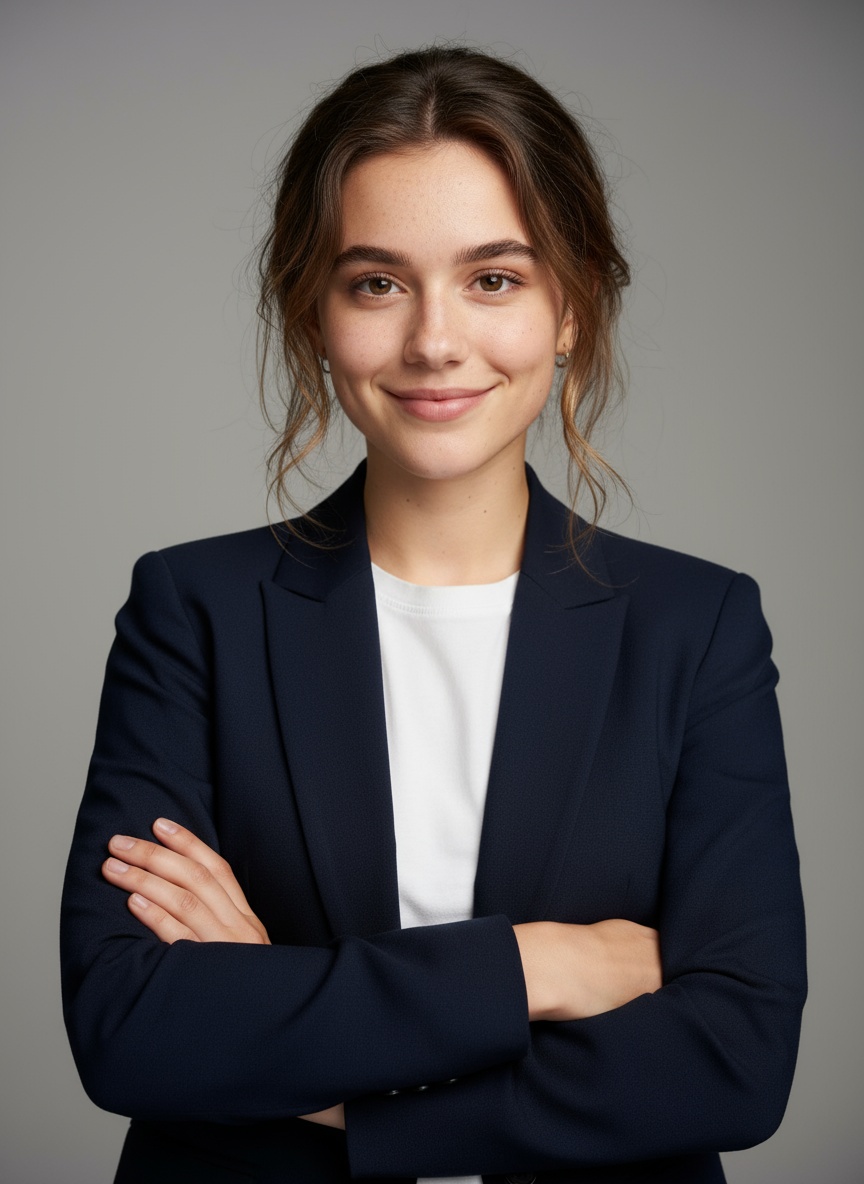
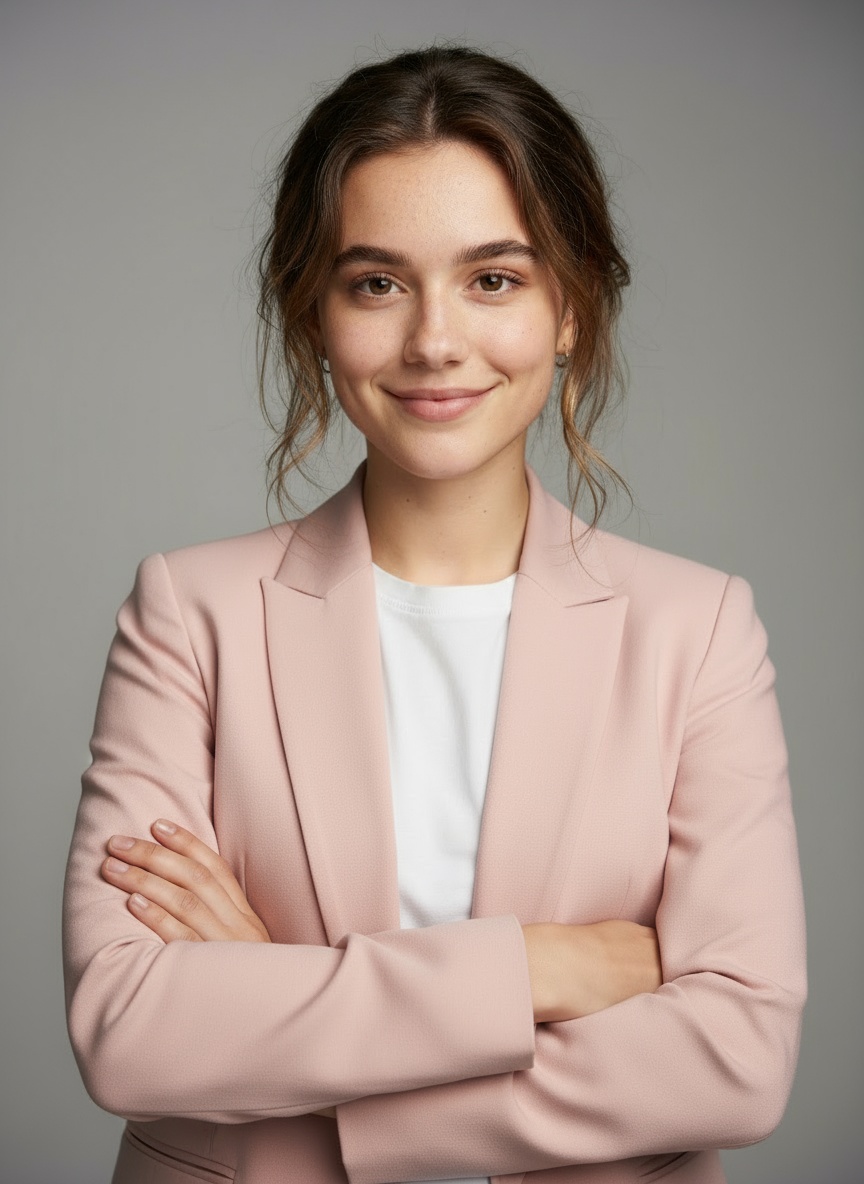
#### **Portrait Editing (Personal / Professional)**
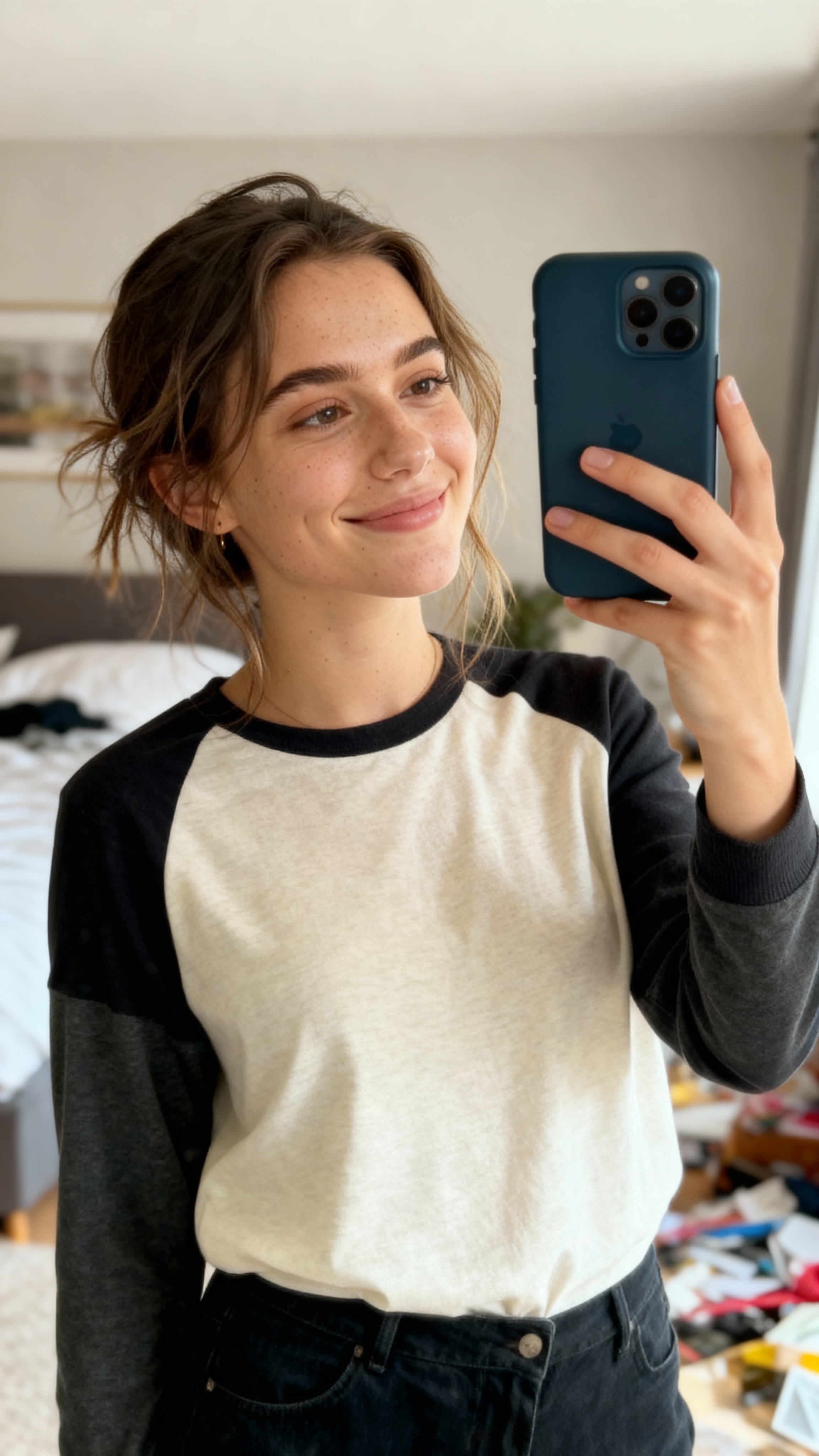
**Scenario:** A content creator enhances their profile photo to look polished and professional while keeping it natural.
Reference Image with the prompt:
**Prompt:**
“Generate a realistic portrait of a young professional woman in a casual blazer and light blouse, with studio lighting, soft highlights, and a clean minimal background.”
**Model:** NanoBanana | **Aspect Ratio:** 3:4
**Editing & Refining:** Change the blazer color to light pink.
**Alternate Model:** Nano Banana
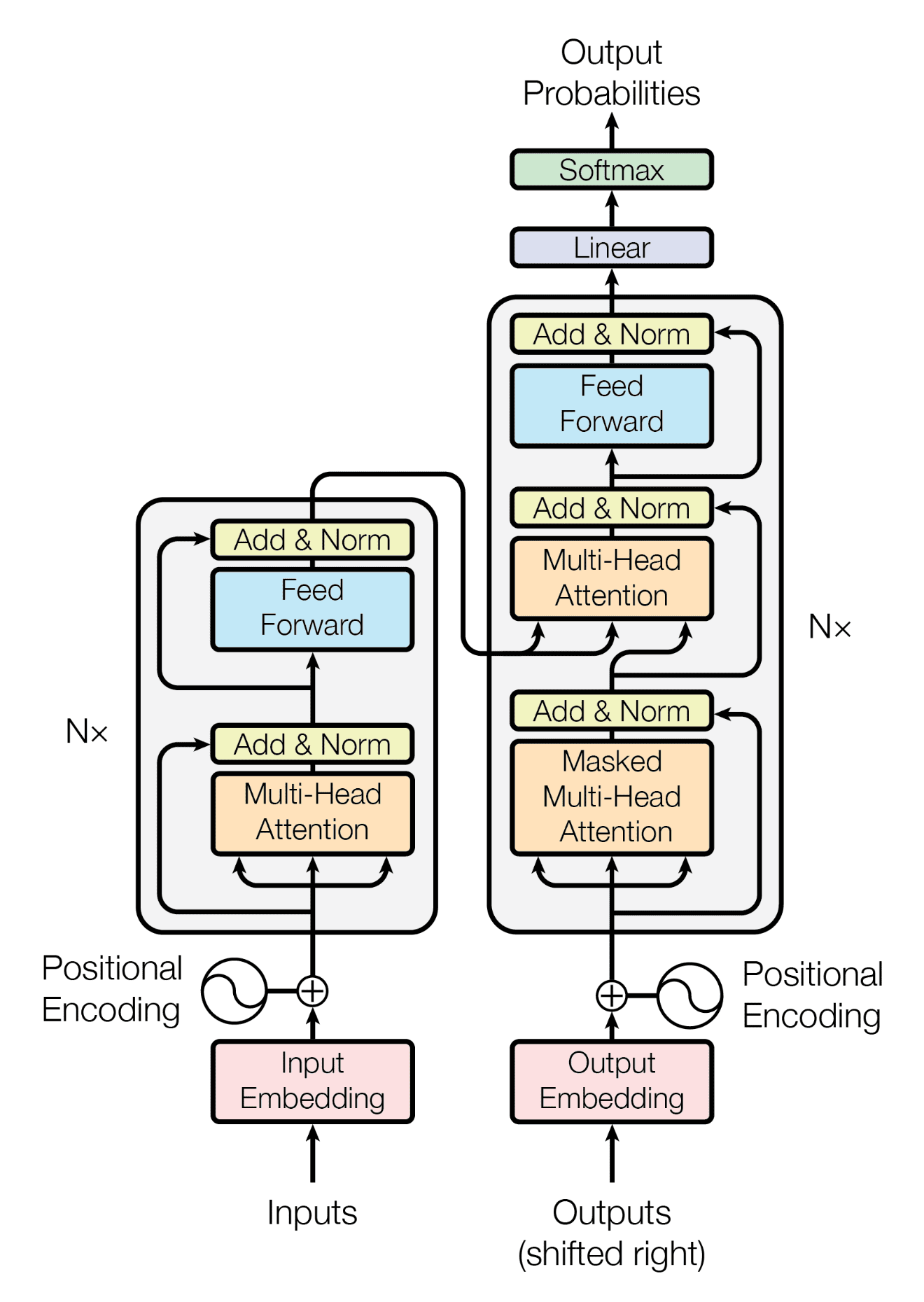
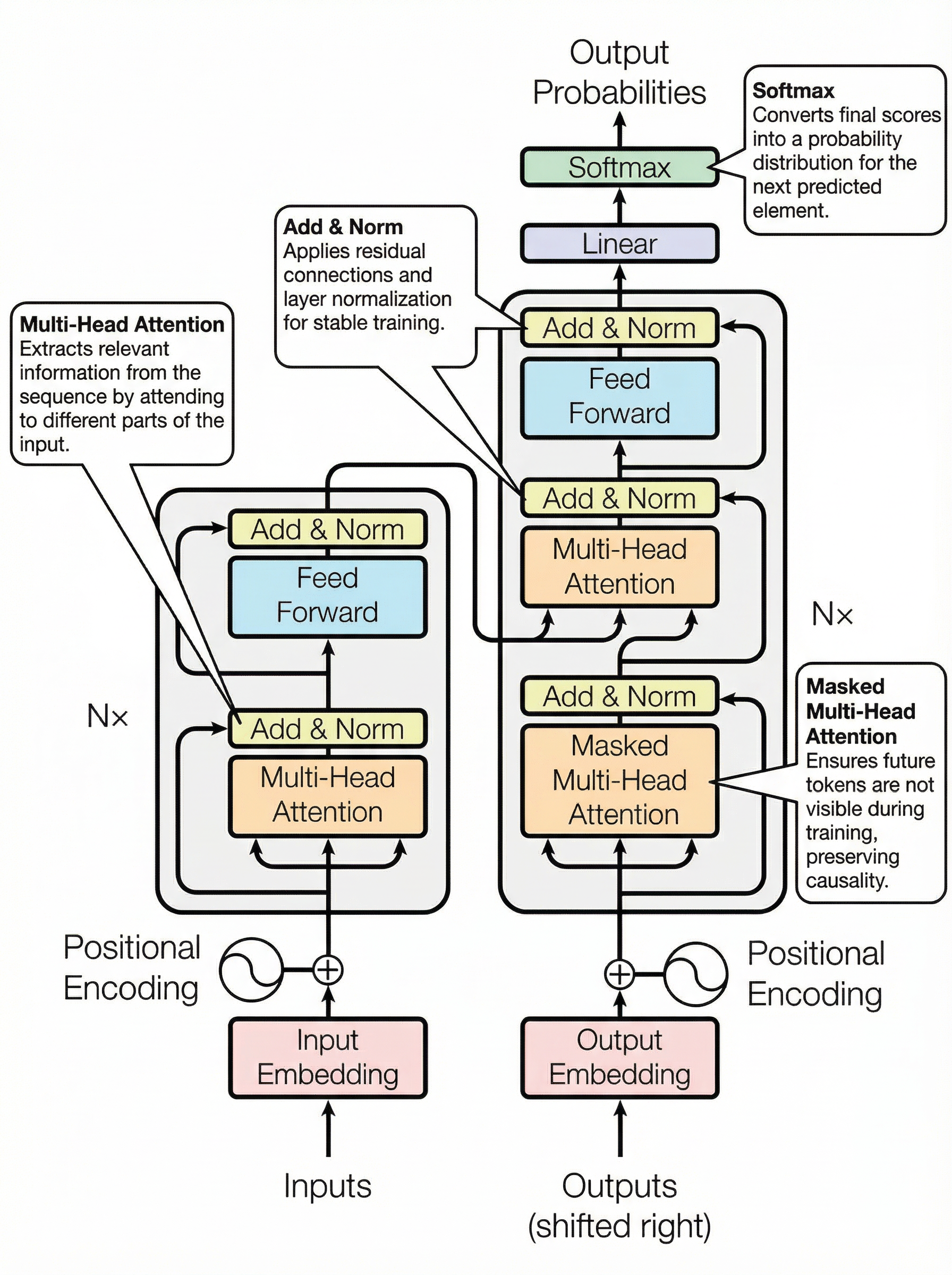
#### Study and Research
**Scenario:** A student is studying a complex system architecture diagram for a class project and wants to deeply understand how each component works and interacts, using clear annotations on the diagrams and step-by-step explanations wherever necessary.
Reference Image with the prompt:
**Prompt:**
“Help me understand this architecture better by using annotation on the diagrams and any explanations where necessary.”
**Model:** Nano Banana Pro | **Aspect Ratio:** 3:4
#### **Next Steps:**
* Try these prompts in [**ChatbotX**](https://chatbotx.com/) **→** [**Image Generation**](https://chatbotx.com/image-generation).
* Experiment with different **models and aspect ratios** for variety.
#### **Need Help?**
Reach out via [support@chatlyai.app](mailto:support@chatbotx.com) for assistance with generation issues.
.png)